You wrote the screenplay. You know the story cold. That's exactly the problem.
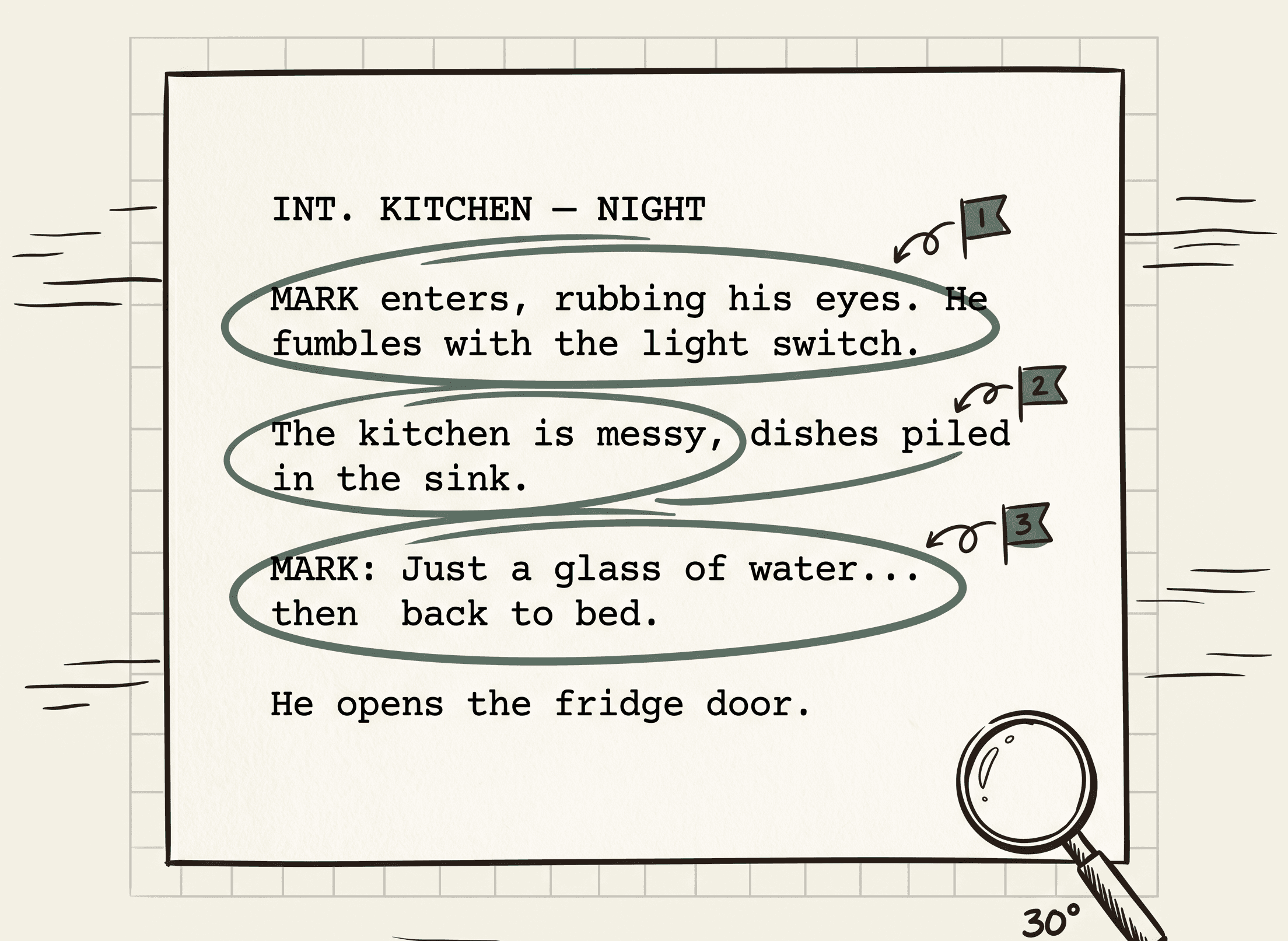
When you read your own script, your brain fills in what's supposed to be there. The character drinks coffee in scene 2 and you don't notice that you've placed the mug on the wrong side of the counter in scene 5 — because in your head, the mug is where it should be. The page just reflects what you already know.
This is why writers' rooms have a script supervisor and indie shoots have continuity errors. The script supervisor isn't smarter than you. They're reading the script without your mental model of the story, which means contradictions that hide behind your assumptions become loud on the page.
Most continuity breaks fall into a few categories: props that appear without setup or vanish without payoff, time-of-day mismatches between consecutive scenes, characters in two places at once, blocking that contradicts the previous scene's geography. None of these are creative failures. They're just things you couldn't see because you were too close to the work.
The cost of missing them depends on when you catch them. On the page during pre-production: ten minutes of rewriting. In the edit: a reshoot, a story patch, or a noticeable inconsistency that lands with the audience. The math is obvious — catch them on the page.
A read-through with actors catches issues your brain skips. It's the right thing to do. It's also expensive, slow, and dependent on people noticing the right thing at the right moment.
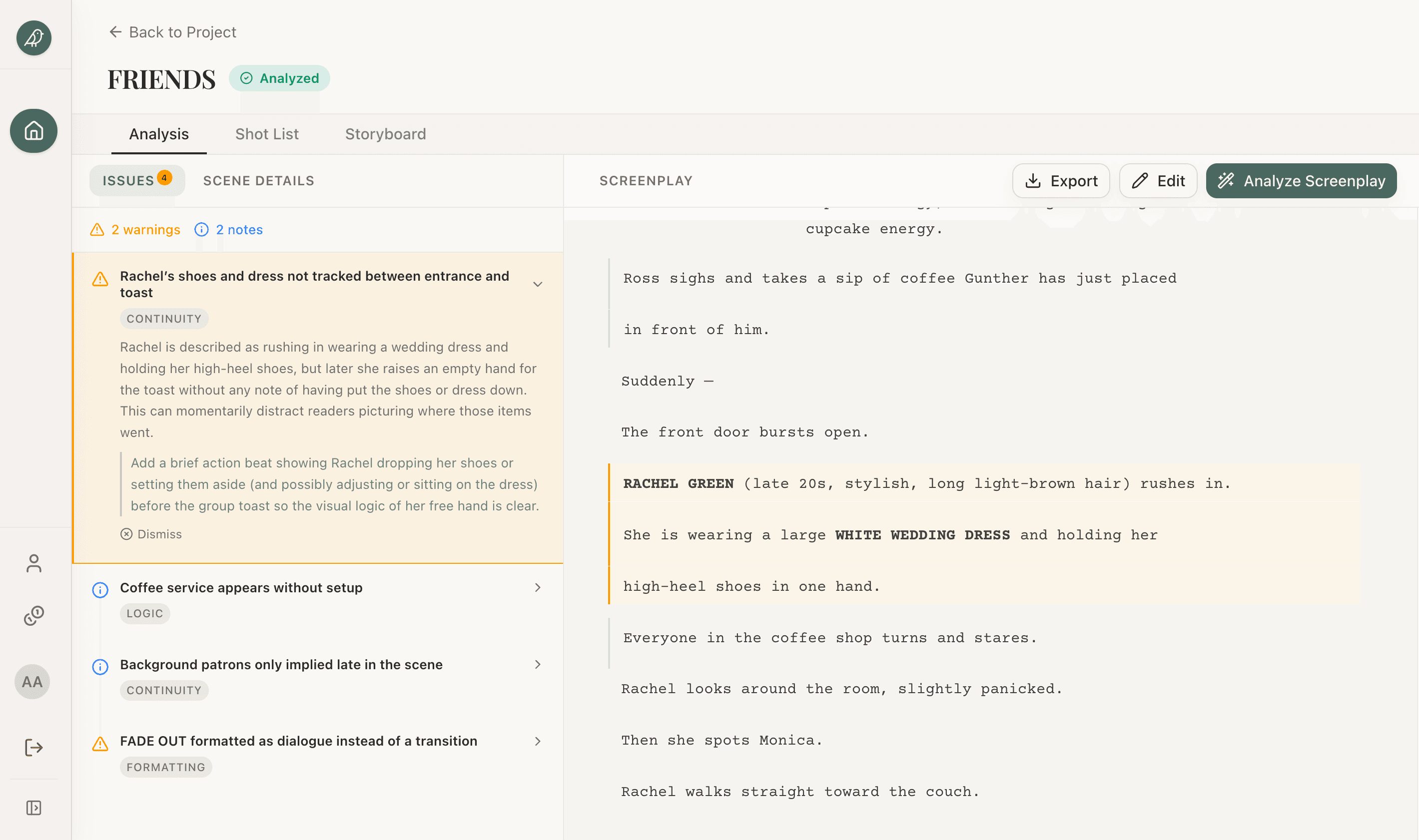
An AI screenplay analyzer reads your script the way the script supervisor does — without your story in its head. It tracks every character, every prop, every location, every time-of-day stamp, and flags inconsistencies row by row.
The categories of issue it actually surfaces:
- Continuity errors. Props that appear without setup. A character holding something in one beat and empty-handed in the next without an action line bridging the gap. Wardrobe changes that don't have a scene to support them. Time-of-day mismatches between adjacent scenes.
- Logic gaps. A character acting on information they shouldn't have. A character going to a location whose geography contradicts the previous scene. A motivation break — the character does X in scene 4 but scene 3 established they wouldn't.
- Unclear blocking. Stage direction that doesn't translate to a shoot. "They argue" is not blocking. "Sarah moves to the window, doesn't turn around" is. The analyzer flags the difference.
- Formatting drift. Slug lines without scene numbers. Dialogue formatted as action. FADE OUT used as a transition between scenes mid-script. Small stuff that becomes loud when the AD tries to build a shooting schedule.
Not every flag is right. Some are noise — the analyzer will mark a "continuity issue" that's actually a deliberate jump cut you set up. That's fine. The cost of dismissing five false positives is much lower than the cost of missing one real issue. Treat the output the way you'd treat a script supervisor's notes: take what's useful, push back on what isn't.
If you want to dig into the underlying craft of catching these on the page, the script continuity errors guide walks through each category with examples from real productions.
Flagged issues are useless until you decide what to do with them. The workflow that works:
First pass, read every flag and triage. Each one gets one of three labels: real (needs a fix), noise (the analyzer misread something), or deferred (it's a real issue but the fix can wait). Don't try to resolve anything yet. The point of the first pass is to know what you're dealing with.
Second pass, fix the reals. Most are quick: rewrite a line, add a prop hand-off, tighten a slug line. A handful will be structural — a character knows something they shouldn't because you cut the scene where they learned it — and those need a real rewrite. Do the easy ones first; the hard ones often dissolve once the easy ones are clean.
Third pass, re-run the analysis on the revised script. Real continuity work creates new issues — when you add a prop hand-off in scene 5, you may need to check that the prop still exists in scene 12. Tools that don't re-run cheaply punish iteration. The free analyzer re-runs in 30 seconds for a scene.
Don't try to fix everything before the table read. The table read will surface a different set of issues — the ones actors hit because the dialogue doesn't sound right out loud. Use the analyzer to clear the structural noise so the table read can focus on performance. They catch different things; you want both.
One last thing: the analyzer is reading the script you uploaded, not the version on your hard drive. If you change the file locally, re-upload before running again. The most common "the analyzer is wrong" complaint turns out to be "the analyzer is reading the version from 20 minutes ago."